MAKING THE AT MATCH

Assistive technology (AT) has the
potential to enhance the quality of life for students with learning
disabilities (LD) by providing them with a means to compensate for
their difficulties, and highlight their abilities. Because students
with learning problems have individual strengths, limitations,
interests, and experiences, a technology tool that is be helpful in
one situation or setting may be of little use under different
circumstances.As a result, selecting the appropriate technology for a
student with LD requires a careful analysis of the dynamic
interaction between the individual, technology, task, and context.
Selecting the appropriate technology
for a student with LD requires careful analysis of the interaction
between (a) the individual; (b) the specific tasks or functions to be
performed; (c) the technology; and (d) the contexts or settings in
which the technology will be used.
When assessing students for appropriate Assistive Technology, all of the models I have examined take into consideration the following factors:
- TASK(S) - What the learner must do
- TOOLS - What helps the Learner to Achieve?
- ENVIRONMENT - Personal, Technical & Personal Conditions
- LEARNER - Attributes & Abilities
- SETT MODEL - Student, Environments, Tasks & Tools

The SETT Framework is a tool that helps teams gather and organize information that can be used to guide collaborative decisions about services that foster the educational success of students with disabilities. Originally developed to support assistive technology selection and use in educational settings, the principles of the SETT Framework have been used to guide decisions about a much broader range of educational services, and also, with minor adjustments, have been successfully used in non-educational environments and service plans. SETT is an acronym for Student,Environments, Tasks and Tools. The SETT Framework is based on the premise that in order to develop an appropriate system of Tools (supports –devices, services, strategies, accommodations, modifications, etc.) teams must first develop a shared understanding of the student, the customary environments in which the student spends time, and the tasks that are required for the student to be able to do or learn to do to be an active participant in the teaching/learning processes that lead to educational success. When the needs, abilities,and interests of the Student, the details of the Environments, and the specific Tasks required of students in those environments are fully explored, teams are able to consider what needs to be included in a system of tools that is Student-centered, Environmentally useful, and Tasks focused.
2. ALDI Initiative
(adapted from Ready, SETT, go! Getting started with the
SETT framework, Zabala, 2005, Closing the Gap, Inc.).
Every Student is Different…. There is no one tool that meets every student’s
needs. Choosing a tool that does not meet the student’s needs can be:
• A source of frustration and discouragement for a student who needs support
• Costly;
• An unproductive use of teachers’ time;
• An ineffective use of limited school board resources;
• A source of hardware/software/app/device abandonment.
The SETT Model is...It is a collaborative team-‐based approach to build a shared vision of what technology might be needed and how it will be used, by building a common understanding of the student, environment and tasks. These decisions should be supported by data... and so the ALDI Model follows this same premise.
Questions to Use as a Guide….
The following questions can guide discussion in the four areas:
Student: Information that relates specifically to the student.
- What does the student need to be able to do that is difficult or impossible to do at this time? What is the functional area of concern?
- What are the student’s special needs that contribute to these concerns? What are the students abilities related to these concerns?
- What are the student’s interests?
Environment: Information related to anyone or anything around the student in places where assistive technology is expected to be used. *Information about the environment is a necessity-‐not taking into account environmental considerations is a primary reason for abandonment of the assistive technology.
- Where will the assistive technology be used?
- How many students in the classroom?
- What is the physical layout?
- How much support is available for teachers, administrators?
- What materials and equipment are being used with other students?
- What are the attitudes and expectations of others in the environment?
- Will this be used at home? Is there home support available?
- Will this be used in other school or community environments (lunchroom, cafeteria, playground, job placement?)
Task - Tasks relate to information about what actually happens in the environments. They are what the student will need to do in the specific environments he/she is working in.
- What is actually happening?
- What are the specifics of the functional demands for each particular environment?
Tools - “What needs to be included when developing a system of assistive technology tools for a student with these needs and abilities, doing these tasks in these environments?”
Tips for selecting and using tools:
- Use the support and materials offered by your board. RECRUIT consultants, special needs consultants, resource teachers and professionals such as occupational therapists and speech and language pathologists are all excellent sources of information for accessing AT tools.
- Use your AT toolkit for support! Try the software/hardware/freeware that you have available.
- Learning how to use a piece of assistive technology takes time and persistence in order to see results. There is no magic solution! Taking the time to become comfortable with the technology yourself before using it with a student is a necessity. Look for different training opportunities (online webinars, tutorials, in-person training).
- If using a tool for academics, the most effective teaching method for students is to integrate the tool into the curriculum.
- For augmentative communication tools, (AAC) always ask your speech and language pathologist for guidance. These tools should be recommended and guided by a professional in the field of communication.
For more information and resources on the ALDI Initiative & its projects, you can visit:
3. WATI
Wisconsin Assistive Technology
Initiative - ASNAT (Assessing Students’ Needs for Assistive
Technology) Mode
The WATI ASNAT model has three
sections with a total of 9 steps:
- SECTION 1 - GATHERING INFORMATION
Step 1: Team Members Gather
Information
Review existing information
regarding student’s abilities, difficulties, environment and
tasks
The Student Information Guide
and Environmental Observation Guide can be used to assist with
gathering information. Incorporate SETT framework
(Student, Environment, Tasks, Tools) by grouping information into
these categories
Step 2: Schedule a team meeting
With parents, the student (if
appropriate), service providers (spec. ed. teacher, classroom
teacher, administrator, specialists, etc)
- SECTION 2 - DECISION MAKING (Steps 3-7 occur
during the team meeting)
Step 3: Problem Identification
Team completed the Problem
Identification portion of the Decision Making Guide at the
meeting.
- List student’s abilities and
difficulties related to tasks
- List key aspects of the
environment
- Identify tasks that the student
needs to be able to do
“The emphasis in problem
identification is identifying tasks the student needs to be able
to do, the relationship of the student’s abilities/difficulties
and characteristics of the environment of the student’s
performance of the tasks.”
Step 4: Prioritize List of Tasks
for Solution Generation
Identify critical tasks for
which the team will generate potential solutions
Step 5: Solution Generation
Brainstorm all possible
solutions
Step 6: Solution Selection
Group solutions that can be
implemented immediately, in the short term, and in the future.
- List the names of specific
devices, hardware and software
Step 7: Implementation Plan
- Develop an implementation plan
- Assign names and dates
- Determine a date to review
progress (follow-up plan)
Step 8: Implement Planned Trials
Step 9: Follow Up on Planned
Date
There is more information on WATI at:
4. ETP - Educational Tech Points
This model emphasizes six points where questions are to
be considered to determine AT need and is meant to be used as part of the
IEP process by the IEP team, instead of as a separate process.
ID students who need AT services
- Does the student experience any
deficits in performance that might be remediated or compensated
for by the use of assistive technology?
ETP 2: Evaluation
Assess if AT is required during
evaluation and/or for curricular modifications
Does the use of assistive
technology as an accommodation during testing enhance the
student’s performance?
What types of assistive
technology solutions would enhance the student’s educational
performance?
Are the services of a specialist
needed?
- Is an extended evaluation
needed?
ETP 3: Extended Assessment
- AT Trials
- Does the type of technology we
are trying actually do what we thought it would do for the child?
- Which of the technology
solutions tried are most effective?
ETP 4: Plan Development
Documentation of AT
considerations and IEP
Is the assistive technology that
is being considered needed for the child to meet one or more of
the goals on the plan?
Are assistive technology
services needed to enable the child to use the device?
Was a specific assistive
technology device identified in the plan?
- Has periodic review been
included in the plan to identify unanticipated problems with
assistive technology and review them?
ETP 5: Implementation
- Student & staff training and
equipment management
- What actions need to be taken to
assure that the assistive technology the child needs is used
effectively?
- Who is responsible for these
actions?
- Who I responsible for monitoring
each aspect of the implementation of assistive technology goals
and objectives?
ETP 6: Periodic Review
- IEP team reviews implementation
and determines if there are changes to be made.
- Are the assistive technology
devices and/or services that were provided being utilized?
- Are the assistive technology
devices and/or services functioning as expected?
- Are the assistive technology
devices and/or services functioning as expected?
- Have long range plans (including
transition) for the student’s assistive technology use been
made?
5. HAAT - Human Activity Assistive Technology Model
Further exploration and case studies of the implementation of the HAAT Model can be accessed at
AT Frameworks: The HAAT Model - SlideShare
Here are 2 documents regarding Protocol for Referring (Requesting) & Accessing Assisitve Technology from my board:


 Merit Software Solutions
 Reading Horizons

 This website is so kid appropriate because it's funny and so engaging..
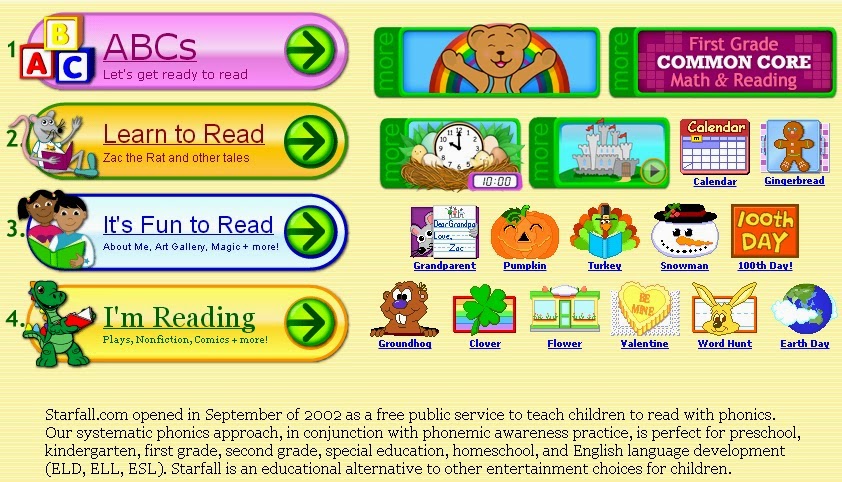


 Here are some phenomenal Apps...Remember, once text is digitized, it is so malleable and can easily made more accessible to struggling readers! and is absolutely necessary for UDL to promote engagement and access for ALL


.jpg)